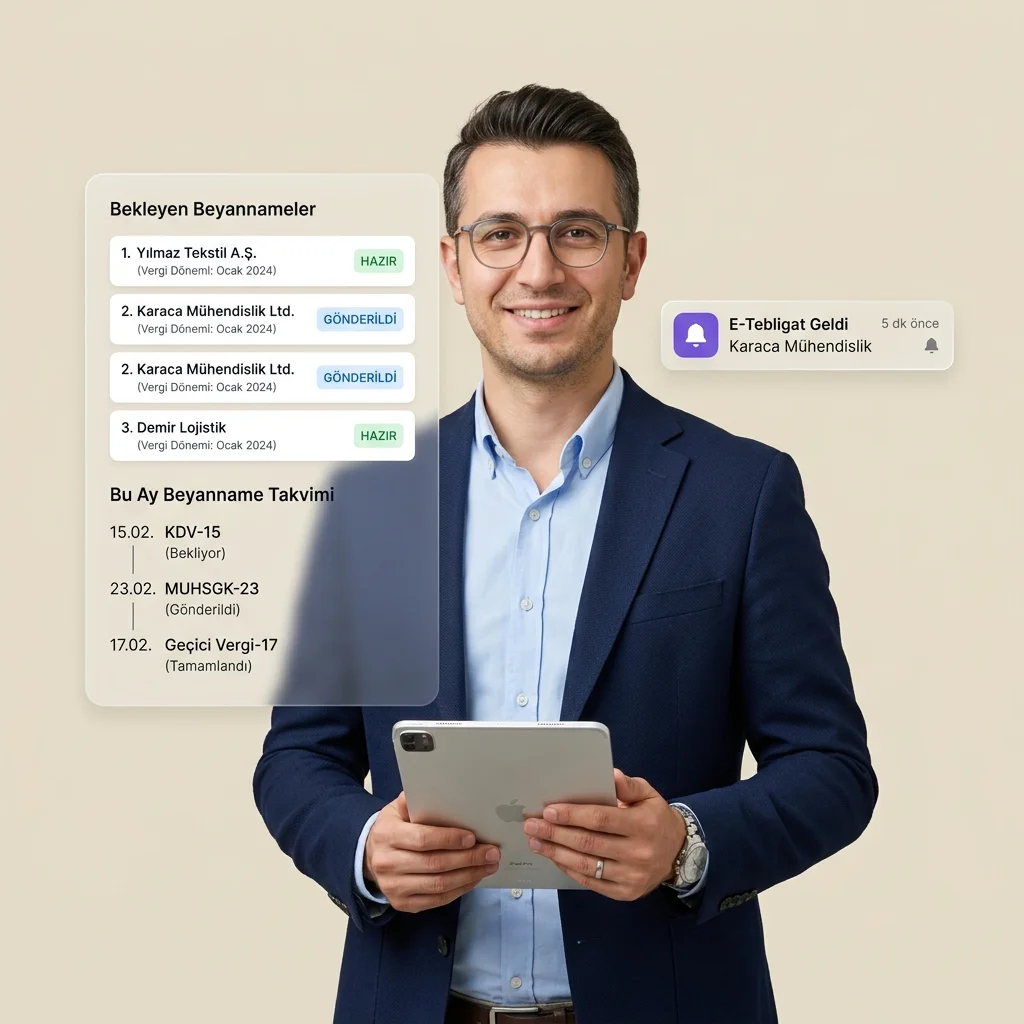
/* Hero, Stats, HeroProductCards */

// 1. Tab: e-Tebligat Video Player Component
function TebligatView() {
  const [isMuted, setIsMuted] = React.useState(true);
  const videoRef = React.useRef(null);

  React.useEffect(() => {
    // Ensure the video plays muted on mount
    if (videoRef.current) {
      videoRef.current.muted = true;
      videoRef.current.play().catch((err) => {
        console.log("Autoplay on mount prevented:", err);
      });
    }
  }, []);

  const toggleMute = (e) => {
    e.preventDefault();
    if (videoRef.current) {
      const targetMuted = !videoRef.current.muted;
      videoRef.current.muted = targetMuted;
      setIsMuted(targetMuted);
      
      // Keep playing in case it got paused
      if (videoRef.current.paused) {
        videoRef.current.play().catch((err) => console.log(err));
      }
    }
  };

  return (
    <div 
      style={{ 
        position: "relative", 
        cursor: "pointer", 
        aspectRatio: "16/9", 
        background: "#000",
        overflow: "hidden"
      }} 
      onClick={toggleMute}
    >
      <video
        ref={videoRef}
        src="assets/e-tebligat-otomatik.mp4"
        loop
        muted
        autoPlay
        playsInline
        preload="metadata"
        style={{
          width: "100%",
          height: "100%",
          display: "block",
          objectFit: "cover"
        }}
      />

      {/* Modern interactive mute/unmute overlay badge */}
      <div style={{
        position: "absolute",
        bottom: 16,
        right: 16,
        background: isMuted ? "rgba(11,23,39,0.9)" : "linear-gradient(135deg, var(--brand-500), var(--ai-purple))",
        backdropFilter: "blur(8px)",
        padding: "8px 16px",
        borderRadius: 99,
        color: "#fff",
        fontSize: "11px",
        fontWeight: 700,
        letterSpacing: "0.03em",
        display: "flex",
        alignItems: "center",
        gap: 8,
        border: "1px solid rgba(255,255,255,0.15)",
        boxShadow: isMuted 
          ? "0 6px 16px rgba(0,0,0,0.3)" 
          : "0 6px 20px rgba(237,124,58,0.45)",
        transition: "all 0.3s cubic-bezier(0.4, 0, 0.2, 1)",
        transform: "scale(1)",
        userSelect: "none"
      }}
      className="sound-badge"
      >
        {isMuted ? (
          <>
            {/* Custom pulsating mute icon */}
            <svg width="14" height="14" viewBox="0 0 24 24" fill="none" stroke="currentColor" strokeWidth="2.5" strokeLinecap="round" strokeLinejoin="round" style={{ animation: "pulse 2s infinite" }}>
              <path d="M11 5L6 9H2v6h4l5 4V5z" />
              <line x1="23" y1="9" x2="17" y2="15" />
              <line x1="17" y1="9" x2="23" y2="15" />
            </svg>
            <span>SESSİZ • SESİ AÇ</span>
          </>
        ) : (
          <>
            {/* Animated sound waves */}
            <div style={{ display: "flex", gap: 2, alignItems: "flex-end", height: 10, width: 12 }}>
              <span className="sound-bar" style={{ width: 2, background: "#fff", animation: "soundWave 0.8s ease-in-out infinite alternate" }} />
              <span className="sound-bar" style={{ width: 2, background: "#fff", animation: "soundWave 1.2s ease-in-out infinite alternate", animationDelay: "0.2s" }} />
              <span className="sound-bar" style={{ width: 2, background: "#fff", animation: "soundWave 0.6s ease-in-out infinite alternate", animationDelay: "0.4s" }} />
              <span className="sound-bar" style={{ width: 2, background: "#fff", animation: "soundWave 1.0s ease-in-out infinite alternate", animationDelay: "0.1s" }} />
            </div>
            <span>SES AÇIK</span>
          </>
        )}
      </div>

      {/* Embedded CSS for keyframes (pulse and soundWave) */}
      <style>{`
        @keyframes soundWave {
          0% { height: 3px; }
          100% { height: 10px; }
        }
        @keyframes pulse {
          0% { transform: scale(1); opacity: 0.9; }
          50% { transform: scale(1.1); opacity: 1; }
          100% { transform: scale(1); opacity: 0.9; }
        }
        .sound-badge:hover {
          transform: scale(1.05) !important;
          background: rgba(15,23,42,0.95) !important;
        }
      `}</style>
    </div>
  );
}

// 2. Tab: e-Beyanname Takibi Dashboard Mockup
function BeyannameView() {
  const data = [
    { firm: "Ayhan Metal Sanayi", type: "KDV1", status: "İndirildi", statusColor: "#22c55e", glowColor: "rgba(34,197,94,0.12)" },
    { firm: "Has-Gıda Ltd. Şti.", type: "MUHSGK", status: "Arşivlendi", statusColor: "#22c55e", glowColor: "rgba(34,197,94,0.12)" },
    { firm: "Elif Mimarlık Tasarım", type: "KDV1", status: "Bulut Yedek", statusColor: "#6d59ff", glowColor: "rgba(109,89,255,0.12)" },
    { firm: "Kaya İnşaat A.Ş.", type: "GGECICI", status: "SGK Eşleşti", statusColor: "#3b82f6", glowColor: "rgba(59,130,246,0.12)" },
  ];

  return (
    <div style={{ padding: "16px", background: "#0b1727", minHeight: "260px", color: "#fff", display: "flex", flexDirection: "column", justifyContent: "space-between" }}>
      <div>
        <div style={{ display: "flex", justifyContent: "space-between", alignItems: "center", marginBottom: "12px" }}>
          <div>
            <h4 style={{ fontSize: "13px", fontWeight: 700, color: "#fff", margin: 0 }}>Otomatik e-Beyanname Takip Masası</h4>
            <p style={{ fontSize: "11px", color: "rgba(255,255,255,0.4)", margin: "2px 0 0 0" }}>Son tarama: Bugün, 04:30 · 114 mükellef</p>
          </div>
          <span style={{ fontSize: "9.5px", padding: "2px 8px", borderRadius: "99px", background: "rgba(34,197,94,0.12)", color: "#22c55e", fontWeight: 700 }}>TÜMÜ GÜNCEL</span>
        </div>

        <div style={{ overflowX: "auto" }}>
          <table style={{ width: "100%", borderCollapse: "collapse", textAlign: "left", fontSize: "11.5px" }}>
            <thead>
              <tr style={{ borderBottom: "1px solid rgba(255,255,255,0.06)", color: "rgba(255,255,255,0.4)" }}>
                <th style={{ padding: "8px 4px", fontWeight: 600 }}>Mükellef Unvanı</th>
                <th style={{ padding: "8px 4px", fontWeight: 600 }}>Tür</th>
                <th style={{ padding: "8px 4px", fontWeight: 600 }}>Durum</th>
                <th style={{ padding: "8px 4px", fontWeight: 600, textAlign: "right" }}>Eylem</th>
              </tr>
            </thead>
            <tbody>
              {data.map((row, idx) => (
                <tr key={idx} style={{ borderBottom: "1px solid rgba(255,255,255,0.03)" }} className="table-row-hover">
                  <td style={{ padding: "8px 4px", fontWeight: 500, maxWidth: "120px", overflow: "hidden", textOverflow: "ellipsis", whiteSpace: "nowrap" }}>{row.firm}</td>
                  <td style={{ padding: "8px 4px" }}><span style={{ padding: "1px 4px", borderRadius: "3px", background: "rgba(255,255,255,0.05)", fontSize: "10px", fontWeight: 600 }}>{row.type}</span></td>
                  <td style={{ padding: "8px 4px" }}>
                    <span style={{ 
                      display: "inline-flex", 
                      alignItems: "center", 
                      gap: "4px", 
                      fontSize: "10px", 
                      fontWeight: 700, 
                      color: row.statusColor,
                      background: row.glowColor,
                      padding: "1px 6px",
                      borderRadius: "99px"
                    }}>
                      {row.status}
                    </span>
                  </td>
                  <td style={{ padding: "8px 4px", textAlign: "right" }}>
                    <span style={{ cursor: "pointer", padding: "2px 5px", borderRadius: "4px", background: "rgba(255,255,255,0.04)", fontSize: "10px", fontWeight: 600 }}>PDF</span>
                  </td>
                </tr>
              ))}
            </tbody>
          </table>
        </div>
      </div>
      <div style={{ display: "flex", justifyContent: "space-between", alignItems: "center", paddingTop: "8px", borderTop: "1px solid rgba(255,255,255,0.05)", fontSize: "11px", color: "rgba(255,255,255,0.4)" }}>
        <span>348 Beyanname yedeklendi</span>
        <a href="Modul Detay.html#beyanname-takibi" style={{ color: "var(--brand-500)", fontWeight: 600, textDecoration: "underline" }}>Detay →</a>
      </div>
    </div>
  );
}

// 3. Tab: AL · Yapay Zekâ Fatura Mockup
function AlFaturaView() {
  return (
    <div style={{ padding: "16px", background: "#0b1727", minHeight: "260px", color: "#fff", display: "flex", flexDirection: "column", justifyContent: "space-between" }}>
      <div>
        <div style={{ display: "flex", justifyContent: "space-between", alignItems: "center", marginBottom: "12px" }}>
          <div>
            <h4 style={{ fontSize: "13px", fontWeight: 700, color: "#fff", margin: 0 }}>AL · WhatsApp AI Fatura Kesimi</h4>
            <p style={{ fontSize: "11px", color: "rgba(255,255,255,0.4)", margin: "2px 0 0 0" }}>WhatsApp görselini e-Faturaya dönüştürün.</p>
          </div>
          <span style={{ fontSize: "9.5px", padding: "2px 8px", borderRadius: "99px", background: "rgba(237,124,58,0.12)", color: "#ed7c3a", fontWeight: 700 }}>⚡ AI</span>
        </div>

        {/* WhatsApp-to-Invoice Split Grid */}
        <div style={{ display: "grid", gridTemplateColumns: "1.2fr 30px 1.5fr", gap: "8px", alignItems: "center" }} className="al-split-grid">
          {/* Left: Chat bubble simulator */}
          <div style={{ background: "rgba(255,255,255,0.02)", border: "1px solid rgba(255,255,255,0.05)", borderRadius: "10px", padding: "8px", display: "flex", flexDirection: "column", gap: "6px" }}>
            <div style={{ display: "flex", alignItems: "center", gap: "4px", borderBottom: "1px solid rgba(255,255,255,0.04)", paddingBottom: "4px" }}>
              <span style={{ fontSize: "9.5px", fontWeight: 700, color: "rgba(255,255,255,0.7)" }}>Mükellef Ayhan S.</span>
            </div>
            <div style={{ alignSelf: "flex-start", background: "rgba(255,255,255,0.06)", padding: "6px 8px", borderRadius: "0 8px 8px 8px", fontSize: "11px", lineHeight: "1.3" }}>
              "Ayhan bey, faturanın resmini buraya atıyorum."
            </div>
            <div style={{ alignSelf: "flex-start", background: "rgba(255,255,255,0.06)", padding: "6px", borderRadius: "0 8px 8px 8px", fontSize: "10px", display: "flex", alignItems: "center", gap: "6px", border: "1px solid rgba(255,255,255,0.08)" }}>
              📄 <span style={{ fontSize: "9.5px", fontWeight: 600 }}>Fatura_Detay.jpg</span>
            </div>
          </div>

          {/* Center Sparkle Process Indicator */}
          <div style={{ display: "flex", flexDirection: "column", alignItems: "center", gap: "2px" }}>
            <span style={{ fontSize: "14px" }}>⚡</span>
            <span style={{ fontSize: "8.5px", fontWeight: 700, color: "var(--ai-purple)" }}>OKU</span>
          </div>

          {/* Right: AI Parsed Form preview */}
          <div style={{ background: "rgba(255,255,255,0.02)", border: "1px solid rgba(255,255,255,0.06)", borderRadius: "10px", padding: "8px", display: "flex", flexDirection: "column", gap: "6px" }}>
            <div style={{ display: "flex", justifyContent: "space-between", alignItems: "center", borderBottom: "1px solid rgba(255,255,255,0.04)", paddingBottom: "4px" }}>
              <span style={{ fontSize: "9.5px", fontWeight: 700, color: "var(--ai-purple)" }}>✨ TESPİT EDİLEN</span>
            </div>

            <div style={{ display: "grid", gridTemplateColumns: "1fr", gap: "4px", fontSize: "10px" }}>
              <div><span style={{ color: "rgba(255,255,255,0.4)", fontSize: "8.5px" }}>ÜNVAN:</span> <strong>Ayhan Metal</strong></div>
              <div><span style={{ color: "rgba(255,255,255,0.4)", fontSize: "8.5px" }}>TOPLAM:</span> <strong>60.000 TL (%20 KDV)</strong></div>
            </div>

            <button style={{
              background: "linear-gradient(135deg, var(--ai-purple) 0%, #f97316 100%)",
              color: "#fff",
              border: 0,
              borderRadius: "6px",
              padding: "5px",
              fontSize: "10.5px",
              fontWeight: 700,
              cursor: "pointer",
              boxShadow: "0 4px 10px rgba(237,124,58,0.2)"
            }}>
              Faturayı Kes
            </button>
          </div>
        </div>
      </div>
      <div style={{ display: "flex", justifyContent: "space-between", alignItems: "center", paddingTop: "8px", borderTop: "1px solid rgba(255,255,255,0.05)", fontSize: "11px", color: "rgba(255,255,255,0.4)" }}>
        <span>Zirve, Mikro ePortal ve GİB entegre</span>
        <a href="Modul Detay.html#al-ai-fatura" style={{ color: "var(--brand-500)", fontWeight: 600, textDecoration: "underline" }}>Detay →</a>
      </div>
    </div>
  );
}

// 4. Tab: SGK Vizite SOAP Mockup
function SgkViziteView() {
  const data = [
    { employee: "Ahmet Yılmaz", dates: "12.05 - 15.05", status: "Onaylandı", color: "#22c55e" },
    { employee: "Merve Kaya", dates: "18.05 - 22.05", status: "Beklemede", color: "#f59e0b" },
    { employee: "Can Demir", dates: "04.05 - 10.05", status: "Onaylandı", color: "#22c55e" }
  ];

  return (
    <div style={{ padding: "16px", background: "#0b1727", minHeight: "260px", color: "#fff", display: "flex", flexDirection: "column", justifyContent: "space-between" }}>
      <div>
        <div style={{ display: "flex", justifyContent: "space-between", alignItems: "center", marginBottom: "12px" }}>
          <div>
            <h4 style={{ fontSize: "13px", fontWeight: 700, color: "#fff", margin: 0 }}>SGK Vizite SOAP Entegrasyonu</h4>
            <p style={{ fontSize: "11px", color: "rgba(255,255,255,0.4)", margin: "2px 0 0 0" }}>Personel raporlarını SOAP ile sorgulayın.</p>
          </div>
          <span style={{ fontSize: "9.5px", padding: "2px 8px", borderRadius: "99px", background: "rgba(59,130,246,0.12)", color: "#3b82f6", fontWeight: 700 }}>SOAP</span>
        </div>

        <div style={{ overflowX: "auto" }}>
          <table style={{ width: "100%", borderCollapse: "collapse", textAlign: "left", fontSize: "11.5px" }}>
            <thead>
              <tr style={{ borderBottom: "1px solid rgba(255,255,255,0.06)", color: "rgba(255,255,255,0.4)" }}>
                <th style={{ padding: "8px 4px", fontWeight: 600 }}>Çalışan</th>
                <th style={{ padding: "8px 4px", fontWeight: 600 }}>Tarih</th>
                <th style={{ padding: "8px 4px", fontWeight: 600 }}>Durum</th>
                <th style={{ padding: "8px 4px", fontWeight: 600, textAlign: "right" }}>Eylem</th>
              </tr>
            </thead>
            <tbody>
              {data.map((row, idx) => (
                <tr key={idx} style={{ borderBottom: "1px solid rgba(255,255,255,0.03)" }}>
                  <td style={{ padding: "8px 4px", fontWeight: 600 }}>{row.employee}</td>
                  <td style={{ padding: "8px 4px", color: "rgba(255,255,255,0.7)" }}>{row.dates}</td>
                  <td style={{ padding: "8px 4px" }}>
                    <span style={{ 
                      display: "inline-flex", 
                      alignItems: "center", 
                      gap: "4px", 
                      fontSize: "10px", 
                      fontWeight: 700, 
                      color: row.color,
                    }}>
                      {row.status}
                    </span>
                  </td>
                  <td style={{ padding: "8px 4px", textAlign: "right" }}>
                    {row.status === "Onaylandı" ? (
                      <span style={{ color: "rgba(255,255,255,0.3)", fontSize: "10px" }}>✓ Hazır</span>
                    ) : (
                      <button style={{
                        background: "rgba(245,158,11,0.12)",
                        border: "1px solid rgba(245,158,11,0.25)",
                        borderRadius: "4px",
                        color: "#f59e0b",
                        padding: "2px 6px",
                        fontSize: "10px",
                        fontWeight: 700,
                        cursor: "pointer"
                      }}>
                        SOAP Onayla
                      </button>
                    )}
                  </td>
                </tr>
              ))}
            </tbody>
          </table>
        </div>
      </div>
      <div style={{ display: "flex", justifyContent: "space-between", alignItems: "center", paddingTop: "8px", borderTop: "1px solid rgba(255,255,255,0.05)", fontSize: "11px", color: "rgba(255,255,255,0.4)" }}>
        <span>Resmi SGK SOAP v3 Protokolü</span>
        <a href="Modul Detay.html#sgk-vizite" style={{ color: "var(--brand-500)", fontWeight: 600, textDecoration: "underline" }}>Detay →</a>
      </div>
    </div>
  );
}

// macOS style Interactive Cockpit Wrapper - Compact version for Side-by-Side column layout
function HeroInteractiveCockpit() {
  const [activeTab, setActiveTab] = React.useState("tebligat");

  const tabs = [
    { id: "tebligat", label: "📬 e-Tebligat", component: <TebligatView /> },
    { id: "beyanname", label: "📂 e-Beyanname", component: <BeyannameView /> },
    { id: "al-fatura", label: "🤖 AL Fatura", component: <AlFaturaView /> },
    { id: "sgk", label: "🏥 SGK Vizite", component: <SgkViziteView /> },
  ];

  return (
    <div style={{ position: "relative", width: "100%", zIndex: 10 }} className="reveal">
      {/* Back glow effects for right column visual pop */}
      <div aria-hidden style={{ position: "absolute", right: "-10px", top: "-20px", width: "180px", height: "180px", borderRadius: "50%", background: "color-mix(in oklch, var(--bluelight-500) 16%, transparent)", filter: "blur(40px)", zIndex: 0 }} />
      <div aria-hidden style={{ position: "absolute", left: "-10px", bottom: "-20px", width: "160px", height: "160px", borderRadius: "50%", background: "color-mix(in oklch, var(--ai-purple) 18%, transparent)", filter: "blur(40px)", zIndex: 0 }} />

      {/* Cockpit macOS Frame */}
      <div style={{
        position: "relative",
        background: "rgba(11, 23, 39, 0.96)",
        border: "1px solid rgba(255, 255, 255, 0.12)",
        borderRadius: "16px",
        boxShadow: "0 24px 64px -12px rgba(0,0,0,0.65), 0 0 40px -10px rgba(30,58,138,0.22)",
        overflow: "hidden",
        width: "100%",
        zIndex: 1,
      }}>
        {/* macOS Top Bar */}
        <div style={{
          display: "flex",
          alignItems: "center",
          justifyContent: "space-between",
          padding: "10px 16px",
          background: "rgba(15, 23, 42, 0.9)",
          borderBottom: "1px solid rgba(255, 255, 255, 0.08)",
        }}>
          {/* macOS window dots */}
          <div style={{ display: "flex", gap: "6px" }}>
            <span style={{ width: 10, height: 10, borderRadius: "50%", background: "#ff5f56", display: "inline-block" }} />
            <span style={{ width: 10, height: 10, borderRadius: "50%", background: "#ffbd2e", display: "inline-block" }} />
            <span style={{ width: 10, height: 10, borderRadius: "50%", background: "#27c93f", display: "inline-block" }} />
          </div>
          {/* Address Bar */}
          <div style={{
            background: "rgba(255, 255, 255, 0.05)",
            borderRadius: "5px",
            padding: "2px 14px",
            fontSize: "10.5px",
            color: "rgba(255, 255, 255, 0.4)",
            fontFamily: "monospace",
            border: "1px solid rgba(255, 255, 255, 0.03)",
            width: "50%",
            textAlign: "center"
          }}>
            ofisimnet.com/otomasyon
          </div>
          <div style={{ width: 42 }} />
        </div>

        {/* Dynamic Cockpit Tabs Navigation - Side-by-Side column optimized */}
        <div style={{
          display: "flex",
          background: "rgba(15, 23, 42, 0.5)",
          borderBottom: "1px solid rgba(255, 255, 255, 0.06)",
          padding: "0 4px",
          gap: "2px",
          overflowX: "auto"
        }} className="cockpit-tabs-scroll">
          {tabs.map((tab) => {
            const isActive = activeTab === tab.id;
            return (
              <button
                key={tab.id}
                onClick={() => setActiveTab(tab.id)}
                style={{
                  background: isActive ? "rgba(255, 255, 255, 0.06)" : "transparent",
                  color: isActive ? "#fff" : "rgba(255, 255, 255, 0.5)",
                  border: 0,
                  borderBottom: isActive ? "2px solid var(--ai-purple)" : "2px solid transparent",
                  padding: "10px 12px",
                  fontSize: "11px",
                  fontWeight: 700,
                  cursor: "pointer",
                  transition: "all 0.2s ease",
                  fontFamily: "inherit",
                  whiteSpace: "nowrap"
                }}
                className="cockpit-tab-btn"
              >
                {tab.label}
              </button>
            );
          })}
        </div>

        {/* Active View Display */}
        <div style={{ position: "relative" }}>
          {tabs.find((tab) => tab.id === activeTab)?.component}
        </div>
      </div>
      
      {/* Styles for scrollbar hiding */}
      <style>{`
        .cockpit-tabs-scroll::-webkit-scrollbar { display: none; }
        .cockpit-tabs-scroll { -ms-overflow-style: none; scrollbar-width: none; }
        .cockpit-tab-btn:hover { color: #fff !important; background: rgba(255,255,255,0.02); }
      `}</style>
    </div>
  );
}

// Side-by-Side B2B SaaS Layout: Left content with CTA, Right interactive SaaS cockpit frame
function Hero({ tweaks, onWatchDemo }) {
  const t = tweaks;
  const headlines = {
    warm: { l1: "Mali müşavirin", l2: "7/24 dijital ekibi.", l3: "" },
    ai:   { l1: "WhatsApp'a düşen fatura,", l2: "3 saniyede", l3: "e-Fatura olarak hazır." },
    pro:  { l1: "Beyanname, fatura, tebligat,", l2: "SGK — hepsi", l3: "tek panelde otomatik." },
  };
  const h = t.heroHeadline === "custom"
    ? { l1: t.customH1 || "Mali müşavirin", l2: t.customH2 || "7/24 dijital ekibi.", l3: t.customH3 || "" }
    : headlines[t.variant] || headlines.warm;

  const heroBg = {
    warm: "linear-gradient(180deg, #f8f3eb 0%, #fff 70%)",
    ai:   "linear-gradient(180deg, #fff7ed 0%, #fff 70%)",
    pro:  "linear-gradient(180deg, #eff6ff 0%, #fff 70%)",
  }[t.variant];

  return (
    <section style={{ position: "relative", overflow: "hidden", background: heroBg }}>
      <div className="container-kolaybi" style={{ position: "relative", paddingTop: 56, paddingBottom: 64 }}>
        {/* Reverted back to high-converting 2-Column Side-by-Side layout */}
        <div className="grid-2" style={{ alignItems: "center" }}>
          
          {/* Left Column: Left-aligned Premium Content */}
          <div className="reveal" style={{ animationDelay: ".05s", textAlign: "left" }}>
            <span className="pill" style={{ marginBottom: "16px" }}>
              <span className="dot" />
              <Icon.Sparkle />
              {t.variant === "pro" ? "Mali Müşavir Süiti · v4" : "Ofisimnet AL · Yapay Zekâ"}
            </span>

            <h1 className="h-hero-v4" style={{ 
              marginTop: "12px",
              lineHeight: "1.2", 
              fontWeight: 800, 
              letterSpacing: "-1.2px",
              marginBottom: "16px"
            }}>
              <span>{h.l1}</span>
              <br />
              <em style={{ 
                fontStyle: "italic", 
                background: "linear-gradient(135deg, var(--brand-500) 0%, var(--ai-purple) 100%)",
                WebkitBackgroundClip: "text",
                WebkitTextFillColor: "transparent",
                fontWeight: 800 
              }}>{h.l2}</em>
              {h.l3 && <> <span>{h.l3}</span></>}
            </h1>

            <p className="body-lg" style={{ 
              maxWidth: "540px", 
              fontSize: "14.5px",
              lineHeight: "1.6",
              color: "var(--text-muted)",
              marginBottom: "24px"
            }}>
              {t.variant === "warm" && <>Beyannameler indirilir, tebligatlar taranır, faturalar kesilir — <strong style={{ color: "var(--brand-500)" }}>siz daha ofise gelmeden.</strong> Tüm rutini biz halledelim, siz mükellefinize odaklanın.</>}
              {t.variant === "ai"   && <>WhatsApp'a düşen fatura fotoğrafı veya PDF — yapay zekâ kalemleri, KDV oranını ve hesap kodunu çıkarır. <strong style={{ color: "var(--ai-purple)" }}>e-Arşiv, Mikro ePortal veya Zirve'ye tek tıkla kesim.</strong></>}
              {t.variant === "pro"  && <>Zirve ve Luca'dan içe aktarım, GİB e-Beyanname her gece otomatik, DVD özel sorgular, SGK Vizite SOAP. <strong style={{ color: "var(--brand-500)" }}>KVKK uyumlu, İstanbul'da hosted.</strong></>}
            </p>

            <div style={{ display: "flex", flexWrap: "wrap", gap: "10px", justifyContent: "flex-start" }}>
              <a href="#fiyatlar" className="kb-btn-primary" style={{ padding: "12px 24px", height: "auto", borderRadius: "8px", fontSize: "14px" }}>
                14 gün ücretsiz dene
                <Icon.ArrowRight />
              </a>
              <button 
                onClick={onWatchDemo} 
                className="kb-btn-secondary"
                style={{ cursor: "pointer", border: "1px solid var(--border-light)", background: "#fff", font: "inherit", padding: "12px 24px", borderRadius: "8px", fontSize: "14px" }}
              >
                {t.variant === "ai" ? "AL nasıl çalışır?" : "Tanıtım Videosunu İzle"}
              </button>
            </div>
          </div>

          {/* Right Column: Original premium static image with glowing blur backgrounds */}
          <div className="reveal" style={{ animationDelay: ".15s", position: "relative", display: "flex", justifyContent: "center", width: "100%" }}>
            {/* Glowing blur effects */}
            <div aria-hidden style={{ position: "absolute", right: -30, top: -30, width: 220, height: 220, borderRadius: "50%", background: "color-mix(in oklch, var(--bluelight-500) 14%, transparent)", filter: "blur(40px)", zIndex: 0 }} />
            <div aria-hidden style={{ position: "absolute", left: -10, bottom: 30, width: 160, height: 160, borderRadius: "50%", background: "color-mix(in oklch, var(--ai-purple) 16%, transparent)", filter: "blur(40px)", zIndex: 0 }} />
            <img 
              src="assets/hero-mali-musavir.webp" 
              alt="Mali Müşavir" 
              style={{ 
                width: "100%", 
                maxWidth: "520px", 
                height: "auto", 
                borderRadius: 24, 
                objectFit: "cover", 
                boxShadow: "0 20px 48px rgba(20,29,82,0.12)",
                zIndex: 1
              }} 
            />
          </div>

        </div>
      </div>
    </section>
  );
}

/* Stats strip */
function StatsStrip() {
  const stats = [
    { num: "Her gece", label: "GİB e-Beyanname otomatik tarama", icon: <Icon.Clock /> },
    { num: "Her gün", label: "DVD e-tebligat + vergi borcu + karşıt inceleme", icon: <Icon.Search /> },
    { num: "Her gün", label: "SGK personel rapor sorgu", icon: <Icon.Sgk /> },
    { num: "%98+", label: "AL fatura parse doğruluk oranı", icon: <Icon.Sparkle /> },
  ];
  return (
    <section className="section-pad" style={{ background: "var(--bg-muted)" }}>
      <div className="container-kolaybi">
        <div style={{ display: "grid", gridTemplateColumns: "repeat(4, 1fr)", gap: 24 }} className="stats-grid">
          {stats.map((s, i) => (
            <div key={i} style={{ textAlign: "center", padding: "12px 8px" }}>
              <div style={{ display: "inline-flex", alignItems: "center", justifyContent: "center", width: 44, height: 44, borderRadius: 12, background: "#fff", color: "var(--brand-500)", marginBottom: 16, boxShadow: "0 4px 14px -6px rgba(20,29,82,.18)" }}>{s.icon}</div>
              <div className="stat-num">{s.num}</div>
              <div style={{ marginTop: 6, fontSize: 14, color: "var(--text-muted)" }}>{s.label}</div>
            </div>
          ))}
        </div>
      </div>
      <style>{`
        @media (max-width: 720px) {
          .stats-grid { grid-template-columns: 1fr 1fr !important; gap: 16px !important; }
        }
      `}</style>
    </section>
  );
}

/* HeroProductCards — 4 module cards */
const PRODUCT_CARDS = [
  { label: "BEYANNAME TAKİBİ", body: "GİB e-Beyanname listesi her gece otomatik çekilir, tahakkuk + PDF'ler arşive düşer. CAPTCHA'yı yapay zekâ çözer.", cta: "Detaylı Bilgi", glyph: <Icon.Doc style={{ width: 22, height: 22 }} />, accent: "#0ba5ec", href: "Modul Detay.html#beyanname-takibi" },
  { label: "DVD SORGULARI", body: "E-Tebligat ve vergi borcu — özel Türkiye üzerinden her gün otomatik veya manuel tek tık sorgu.", cta: "Detaylı Bilgi", glyph: <Icon.Mail style={{ width: 22, height: 22 }} />, accent: "#22c55e", href: "Modul Detay.html#e-tebligat-sorgu" },
  { label: "SGK VİZİTE", body: "SGK Vizite Web Servisi entegrasyonu — personel raporlarını doğrudan SOAP üzerinden sorgula, onayla, iptal et.", cta: "Detaylı Bilgi", glyph: <Icon.Sgk style={{ width: 22, height: 22 }} />, accent: "#f59e0b", href: "Modul Detay.html#sgk-vizite" },
  { label: "AL · AI FATURA", body: "WhatsApp'a düşen fatura fotoğrafı, PDF'i veya mesajı yapay zekâ ile parse — kalem, KDV ve hesap kodu otomatik.", cta: "Detaylı Bilgi", glyph: <Icon.Sparkle style={{ width: 22, height: 22 }} />, accent: "#ed7c3a", href: "Modul Detay.html#al-ai-fatura" },
];

function HeroProductCards() {
  return (
    <section style={{ background: "#fff", padding: "24px 0 40px" }}>
      <div className="container-kolaybi">
        <div className="grid-4">
          {PRODUCT_CARDS.map((c) => (
            <a key={c.label} href={c.href} className="card-pop" style={{ padding: 24, display: "flex", flexDirection: "column", gap: 14 }}>
              <div style={{ width: 44, height: 44, borderRadius: 10, background: c.accent, color: "#fff", display: "inline-flex", alignItems: "center", justifyContent: "center" }}>{c.glyph}</div>
              <p style={{ margin: 0, fontSize: 11.5, fontWeight: 800, letterSpacing: ".08em", color: "var(--text-muted)" }}>{c.label}</p>
              <p style={{ margin: 0, fontSize: 14, lineHeight: "22px", color: "var(--text-body)", flex: 1 }}>{c.body}</p>
              <span className="kb-btn-secondary" style={{ width: "fit-content", marginTop: 4, padding: "8px 14px", fontSize: 12.5 }}>{c.cta} <Icon.ArrowRight style={{ marginLeft: 4, width: 12, height: 12 }} /></span>
            </a>
          ))}
        </div>
      </div>
    </section>
  );
}

/* LiveAutomationShowcase - Premium video showcase section relocated from Hero */
const SHOWCASE_TABS = [
  {
    id: "tebligat",
    label: "📬 e-Tebligat",
    video: "assets/e-tebligat-otomatik.mp4",
    eyebrow: "OTOMATİK E-TEBLİGAT",
    title: "e-Tebligatlar 7/24 Arka Planda Otomatik.",
    titleStyled: (
      <>
        e-Tebligatlar <span className="ink-bar"><span style={{ color: "var(--brand-500)", position: "relative", zIndex: 1 }}>7/24 Arka Planda</span></span> Otomatik.
      </>
    ),
    description: "Siz ofiste olmasanız bile Dijital Vergi Dairesi (DVD) portalları kesintisiz taranır. Gelişmiş yapay zekâ CAPTCHA çözücümüz sayesinde her yeni tebligat saniyeler içinde çekilir ve anında panelinize düşer.",
    features: [
      { title: "Kaçırılmayan Süreler", desc: "e-Tebligat düştüğü an 5 günlük yasal süre başlamadan haberdar olun." },
      { title: "Gemini CAPTCHA Çözücü", desc: "Giriş şifrelerindeki resimli güvenlik kodları yapay zekâ ile anında çözülür." },
      { title: "Otomatik PDF Arşivleme", desc: "İndirilen tüm tebligat PDF'leri güvenli R2 bulutunda saklanır." }
    ]
  },
  {
    id: "beyanname",
    label: "📂 e-Beyanname",
    video: "assets/e-beyanname-otomatik.mp4",
    eyebrow: "BEYANNAME & TAHAKKUK",
    title: "Tüm Beyannameler Tek Tıkla Panelinizde.",
    titleStyled: (
      <>
        Tüm Beyannameler <span className="ink-bar"><span style={{ color: "var(--brand-500)", position: "relative", zIndex: 1 }}>Tek Tıkla</span></span> Panelinizde.
      </>
    ),
    description: "Mükelleflerinizin KDV, Muhtasar, Geçici Vergi ve tüm beyannameleri GİB sistemlerinden otomatik sorgulanır. Tahakkuk fişleri ve beyanname PDF'leri saniyeler içinde indirilir.",
    features: [
      { title: "Toplu Beyanname Sorgu", desc: "Tüm mükellefleriniz için tek tıkla veya planlı gece cron'u ile sorgulama." },
      { title: "Tahakkuk Eşleştirme", desc: "Tahakkuk bilgileri otomatik ayrıştırılır ve vergi borçlarıyla eşlenir." },
      { title: "SGK Belgeleri", desc: "Hizmet listeleri ve SGK tahakkukları otomatik olarak indirilir ve depolanır." }
    ]
  },
  {
    id: "sgk",
    label: "🏥 SGK Vizite",
    video: "assets/sgk-rapor-otomatik.mp4",
    eyebrow: "SGK VİZİTE TAKİBİ",
    title: "Personel Raporları Ceza Riski Olmadan Yönetilir.",
    titleStyled: (
      <>
        Personel Raporları <span className="ink-bar"><span style={{ color: "var(--brand-500)", position: "relative", zIndex: 1 }}>Ceza Riski Olmadan</span></span> Yönetilir.
      </>
    ),
    description: "Çalışanların vizite, istirahat ve iş göremezlik raporları SGK web servislerinden 7/24 taranır. Rapor onayları ve iptal işlemleri yasal süre aşımı cezası riski olmadan yönetilir.",
    features: [
      { title: "Anlık İstirahat Raporları", desc: "Çalışan rapor aldığında sisteme düştüğü an haberdar olun." },
      { title: "Otomatik E-Posta Uyarısı", desc: "Mükellefe ve personele rapor detayları otomatik iletilir." },
      { title: "Yasal Süre Güvencesi", desc: "10 günlük onay sürelerini kaçırmadan tek tıkla onaylama imkanı." }
    ]
  },
  {
    id: "efatura",
    label: "🤖 AL Fatura",
    video: "assets/efatura-yapay-zeka.mp4",
    eyebrow: "AI FATURA GİRİŞİ",
    title: "Yapay Zekâ ile 3 Saniyede Hatasız Fatura.",
    titleStyled: (
      <>
        Yapay Zekâ ile <span className="ink-bar"><span style={{ color: "var(--brand-500)", position: "relative", zIndex: 1 }}>3 Saniyede</span></span> Hatasız Fatura.
      </>
    ),
    description: "WhatsApp üzerinden gelen fatura görselleri veya PDF'leri Gemini 2.0 Flash AI ile saniyeler içinde analiz edilir. Fatura tutarları, VKN, KDV oranları ayrıştırılarak otomatik taslak oluşturulur.",
    features: [
      { title: "Resimden Fatura Girişi", desc: "Fatura fotoğrafını çekin, AI verileri okuyup sisteme işlesin." },
      { title: "Çoklu Portal Desteği", desc: "Mikro, GİB e-Arşiv ve Zirve ile tam entegre çalışır." },
      { title: "Hatasız Kayıt Garantisi", desc: "Matematiksel tutarlar ve vergi oranları yapay zekâ ile doğrulanır." }
    ]
  }
];

function LiveAutomationShowcase({ onWatchDemo }) {
  const [activeTabId, setActiveTabId] = React.useState("tebligat");
  const [isMuted, setIsMuted] = React.useState(true);
  const videoRef = React.useRef(null);

  const activeTab = SHOWCASE_TABS.find((t) => t.id === activeTabId) || SHOWCASE_TABS[0];

  // Reload the video whenever active tab changes, and play it
  React.useEffect(() => {
    if (videoRef.current) {
      videoRef.current.load();
      videoRef.current.muted = isMuted;
      videoRef.current.play().catch((err) => {
        console.log("Autoplay prevented on tab transition:", err);
      });
    }
  }, [activeTabId]);

  const toggleMute = (e) => {
    e.preventDefault();
    if (videoRef.current) {
      const targetMuted = !videoRef.current.muted;
      videoRef.current.muted = targetMuted;
      setIsMuted(targetMuted);
      
      // Ensure it stays playing
      if (videoRef.current.paused) {
        videoRef.current.play().catch((err) => console.log(err));
      }
    }
  };

  const handleVideoEnded = () => {
    // Playlist autoplay logic: go to the next video when one ends
    const currentIndex = SHOWCASE_TABS.findIndex((t) => t.id === activeTabId);
    const nextIndex = (currentIndex + 1) % SHOWCASE_TABS.length;
    setActiveTabId(SHOWCASE_TABS[nextIndex].id);
  };

  const handleVideoError = (e) => {
    // If the video file is not found (404) because it's not created yet, 
    // fallback to the default e-tebligat video so the website remains unbroken
    const defaultSrc = "assets/e-tebligat-otomatik.mp4";
    if (e.target.src && !e.target.src.endsWith(defaultSrc)) {
      console.warn("Video file not found, falling back to default e-tebligat video.");
      e.target.src = defaultSrc;
      e.target.load();
      e.target.play().catch((err) => console.log(err));
    }
  };

  return (
    <section className="section-pad bg-peanut-pale" style={{ position: "relative", overflow: "hidden", borderTop: "1px solid var(--border-light)", borderBottom: "1px solid var(--border-light)" }}>
      {/* Background decoration */}
      <div aria-hidden style={{ position: "absolute", top: -80, left: -80, width: 300, height: 300, borderRadius: "50%", background: "color-mix(in oklch, var(--bluelight-500) 8%, transparent)", filter: "blur(50px)", zIndex: 0 }} />
      <div aria-hidden style={{ position: "absolute", bottom: -80, right: -80, width: 300, height: 300, borderRadius: "50%", background: "color-mix(in oklch, var(--ai-purple) 8%, transparent)", filter: "blur(50px)", zIndex: 0 }} />
      
      <div className="container-kolaybi" style={{ position: "relative", zIndex: 1 }}>
        
        {/* Navigation Tabs - Premium pill design */}
        <div style={{ 
          display: "flex", 
          justifyContent: "center", 
          flexWrap: "wrap",
          gap: 12, 
          marginBottom: 44,
          position: "relative",
          zIndex: 2
        }} className="showcase-tabs-container">
          {SHOWCASE_TABS.map((tab) => {
            const isActive = tab.id === activeTabId;
            return (
              <button
                key={tab.id}
                onClick={() => setActiveTabId(tab.id)}
                style={{
                  display: "flex",
                  alignItems: "center",
                  gap: 8,
                  background: isActive ? "linear-gradient(135deg, var(--brand-900), var(--brand-700))" : "#fff",
                  color: isActive ? "#fff" : "var(--brand-700)",
                  border: isActive ? "1px solid var(--brand-900)" : "1px solid var(--border-light)",
                  padding: "10px 22px",
                  borderRadius: "99px",
                  fontSize: "13px",
                  fontWeight: 700,
                  cursor: "pointer",
                  boxShadow: isActive ? "0 8px 24px -6px rgba(11,23,39,0.25)" : "0 2px 8px rgba(0,0,0,0.03)",
                  transition: "all 0.3s cubic-bezier(0.4, 0, 0.2, 1)",
                  fontFamily: "inherit",
                }}
                className="showcase-tab-btn"
              >
                {isActive && (
                  <span style={{ 
                    width: 6, 
                    height: 6, 
                    borderRadius: "50%", 
                    background: "var(--ai-purple)", 
                    display: "inline-block",
                    boxShadow: "0 0 8px var(--ai-purple)",
                    animation: "pulse 1.5s infinite" 
                  }} />
                )}
                {tab.label}
              </button>
            );
          })}
        </div>

        <div style={{ display: "grid", gridTemplateColumns: "1fr", gap: 48, alignItems: "center" }} className="showcase-grid">
          
          {/* Left Column: Video Container with Playlist player */}
          <div className="reveal" style={{ animationDelay: ".1s", position: "relative" }}>
            {/* Back Glow */}
            <div aria-hidden style={{ position: "absolute", inset: -12, background: "linear-gradient(135deg, color-mix(in oklch, var(--brand-500) 8%, transparent), color-mix(in oklch, var(--ai-purple) 10%, transparent))", filter: "blur(30px)", borderRadius: 24, zIndex: 0 }} />
            
            {/* Video Container Card */}
            <div style={{
              position: "relative",
              background: "#0b1727",
              border: "1px solid rgba(255, 255, 255, 0.12)",
              borderRadius: "16px",
              boxShadow: "0 20px 50px rgba(0,0,0,0.3), 0 0 30px rgba(30,58,138,0.1)",
              overflow: "hidden",
              width: "100%",
              zIndex: 1,
            }}>
              <div 
                style={{ 
                  position: "relative", 
                  cursor: "pointer", 
                  aspectRatio: "16/9", 
                  background: "#000",
                  overflow: "hidden"
                }} 
                onClick={toggleMute}
              >
                <video
                  ref={videoRef}
                  src={activeTab.video}
                  loop={false} // Set loop to false so we transition onEnded
                  muted={isMuted}
                  autoPlay
                  playsInline
                  preload="metadata"
                  onEnded={handleVideoEnded}
                  onError={handleVideoError}
                  style={{
                    width: "100%",
                    height: "100%",
                    display: "block",
                    objectFit: "cover"
                  }}
                />

                {/* Modern interactive mute/unmute overlay badge */}
                <div style={{
                  position: "absolute",
                  bottom: 16,
                  right: 16,
                  background: isMuted ? "rgba(11,23,39,0.9)" : "linear-gradient(135deg, var(--brand-500), var(--ai-purple))",
                  backdropFilter: "blur(8px)",
                  padding: "8px 16px",
                  borderRadius: 99,
                  color: "#fff",
                  fontSize: "11px",
                  fontWeight: 700,
                  letterSpacing: "0.03em",
                  display: "flex",
                  alignItems: "center",
                  gap: 8,
                  border: "1px solid rgba(255,255,255,0.15)",
                  boxShadow: isMuted 
                    ? "0 6px 16px rgba(0,0,0,0.3)" 
                    : "0 6px 20px rgba(237,124,58,0.45)",
                  transition: "all 0.3s cubic-bezier(0.4, 0, 0.2, 1)",
                  transform: "scale(1)",
                  userSelect: "none",
                  zIndex: 2
                }}
                className="sound-badge"
                >
                  {isMuted ? (
                    <>
                      <svg width="14" height="14" viewBox="0 0 24 24" fill="none" stroke="currentColor" strokeWidth="2.5" strokeLinecap="round" strokeLinejoin="round" style={{ animation: "pulse 2s infinite" }}>
                        <path d="M11 5L6 9H2v6h4l5 4V5z" />
                        <line x1="23" y1="9" x2="17" y2="15" />
                        <line x1="17" y1="9" x2="23" y2="15" />
                      </svg>
                      <span>SESSİZ • SESİ AÇ</span>
                    </>
                  ) : (
                    <>
                      <div style={{ display: "flex", gap: 2, alignItems: "flex-end", height: 10, width: 12 }}>
                        <span className="sound-bar" style={{ width: 2, background: "#fff", animation: "soundWave 0.8s ease-in-out infinite alternate" }} />
                        <span className="sound-bar" style={{ width: 2, background: "#fff", animation: "soundWave 1.2s ease-in-out infinite alternate", animationDelay: "0.2s" }} />
                        <span className="sound-bar" style={{ width: 2, background: "#fff", animation: "soundWave 0.6s ease-in-out infinite alternate", animationDelay: "0.4s" }} />
                        <span className="sound-bar" style={{ width: 2, background: "#fff", animation: "soundWave 1.0s ease-in-out infinite alternate", animationDelay: "0.1s" }} />
                      </div>
                      <span>SES AÇIK</span>
                    </>
                  )}
                </div>

                {/* Embedded CSS for keyframes */}
                <style>{`
                  @keyframes soundWave {
                    0% { height: 3px; }
                    100% { height: 10px; }
                  }
                  @keyframes pulse {
                    0% { transform: scale(1); opacity: 0.9; }
                    50% { transform: scale(1.1); opacity: 1; }
                    100% { transform: scale(1); opacity: 0.9; }
                  }
                  .sound-badge:hover {
                    transform: scale(1.05) !important;
                    background: rgba(15,23,42,0.95) !important;
                  }
                `}</style>
              </div>
            </div>
          </div>

          {/* Right Column: Dynamic Copywriting matching active tab */}
          <div className="reveal" style={{ animationDelay: ".2s" }} key={activeTabId}>
            <span className="section-eyebrow">{activeTab.eyebrow}</span>
            <h2 className="h-section" style={{ marginTop: 14, lineHeight: "1.25" }}>
              {activeTab.titleStyled}
            </h2>
            <p className="body-lg" style={{ marginTop: 18, color: "var(--text-muted)", fontSize: "14.5px", lineHeight: "1.6" }}>
              {activeTab.description}
            </p>
            
            <ul style={{ listStyle: "none", padding: 0, margin: "24px 0 0", display: "flex", flexDirection: "column", gap: 12 }}>
              {activeTab.features.map((item, idx) => (
                <li key={idx} style={{ display: "flex", gap: 12, alignItems: "flex-start" }}>
                  <span style={{ flexShrink: 0, width: 20, height: 20, borderRadius: "50%", background: "color-mix(in oklch, var(--success-green) 14%, white)", color: "var(--success-green)", display: "inline-flex", alignItems: "center", justifyContent: "center", marginTop: 1 }}>
                    <Icon.Check style={{ width: 11, height: 11 }} />
                  </span>
                  <div>
                    <h4 style={{ fontSize: "13.5px", fontWeight: 700, margin: 0, color: "var(--brand-700)" }}>{item.title}</h4>
                    <p style={{ margin: "2px 0 0 0", fontSize: "12.5px", color: "var(--text-muted)", lineHeight: "1.4" }}>{item.desc}</p>
                  </div>
                </li>
              ))}
            </ul>

            <div style={{ marginTop: 32, display: "flex", flexWrap: "wrap", gap: 12 }}>
              <a href="#fiyatlar" className="kb-btn-primary" style={{ padding: "12px 24px", height: "auto", borderRadius: "8px", fontSize: "14px" }}>
                14 gün ücretsiz dene
                <Icon.ArrowRight />
              </a>
              <button 
                onClick={onWatchDemo} 
                className="kb-btn-secondary"
                style={{ cursor: "pointer", border: "1px solid var(--border-light)", background: "#fff", font: "inherit", padding: "12px 24px", borderRadius: "8px", fontSize: "14px" }}
              >
                Demoyu Sesli İzle
              </button>
            </div>
          </div>

        </div>
        <style>{`
          @media (min-width: 992px) {
            .showcase-grid { grid-template-columns: 1.25fr 1fr !important; gap: 64px !important; }
          }
          .showcase-tab-btn:hover {
            transform: translateY(-1px);
            background: rgba(20, 39, 71, 0.08) !important;
          }
        `}</style>
      </div>
    </section>
  );
}

Object.assign(window, { Hero, StatsStrip, HeroProductCards, LiveAutomationShowcase });